
 Xbox Cloud Gaming Equirements: Internet, Devices, Controllers
  How to Delete Sent Messages on iPhone From Both Sides
  Real-Time Tracking in the Distribution of Goods
  Portable Monitor For Laptop Guide
  Optimizing Sales Prospecting with Modern Software Tools
  What Is One Way That Technology Can Improve The Distribution Of Goods?
  Xbox Cloud gaming: A Practical Guide For Real Life
  Game Pass vs PlayStation Plus: which is actually worth it?
  Macfox X1S installation guide: assembly, setup, and first ride checks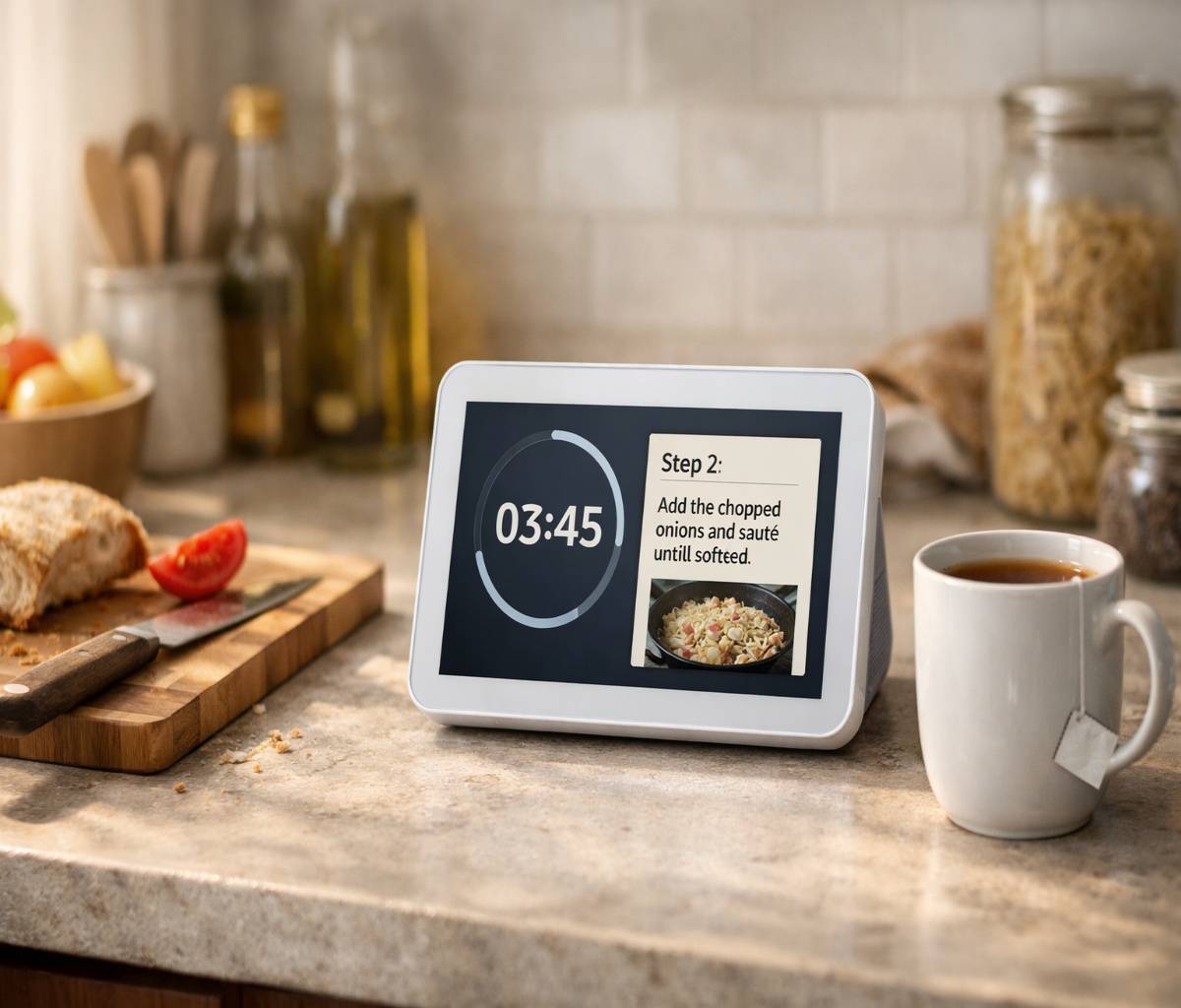
If you’ve been circling the echo show 8 for a while, this is the kind of guide that tries to answer the real question: will you actually use it after the first week? Not “can it show the weather,” because yes, it can. More like… will it quietly become the thing you glance at while you’re cooking, or the screen you use to call family without making it a whole production.
The current Echo Show 8 (fourth-generation model) is a noticeably refreshed device: a larger 8.7-inch HD screen, a newer AZ3 Pro chip, Wi‑Fi 6E, and a built-in smart home hub that supports Zigbee plus modern standards like Matter and Thread. It also leans on Amazon’s Omnisense platform, which is basically the device using sensors (presence, motion, temperature, and more) to make routines feel less “robotic scheduling” and more “the home noticing what’s happening.”
It’s not perfect, though. The interface can feel busy, and some people will care a lot about the privacy trade-offs of a camera in the home. Still, when it clicks, it’s one of those devices that’s less about “tech” and more about removing friction from everyday routines.
Echo show 8: what it is (and who it’s for)
The Echo Show 8 is Amazon’s mid-size smart display: Alexa, but with a screen big enough to be useful from across a room. The 4th-gen design is more modern than older wedge-shaped models, with a thinner floating display feel and front-firing speakers meant to fill the space a bit more.
Who tends to like it?
- Busy households that want timers, reminders, quick video calls, and shared routines without everyone installing another app.
- People who want a “light” smart home hub experience (lights, plugs, cameras, basic automations) without buying separate hubs.
- Anyone who prefers glanceable info (calendar, weather, commute, a recipe step) instead of checking a phone 40 times.
Who might not? Honestly, if no one in the home enjoys voice assistants, or if the idea of a screen suggesting content feels irritating, the Echo Show 8 can feel like a slightly expensive kitchen timer. That’s not a moral failing. It’s just taste.
What’s new in the Echo Show 8 (Gen 4)
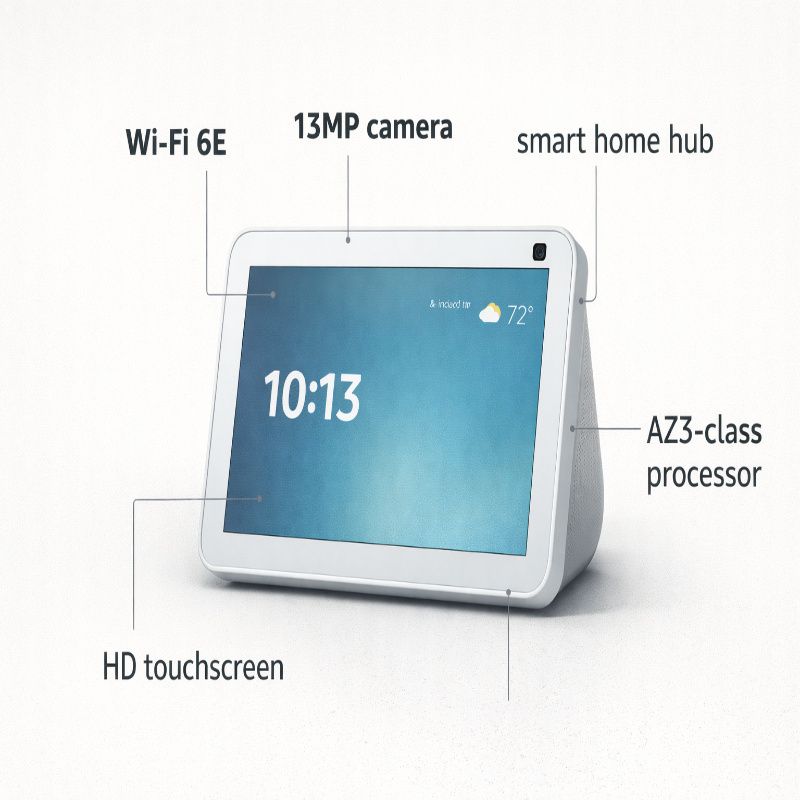
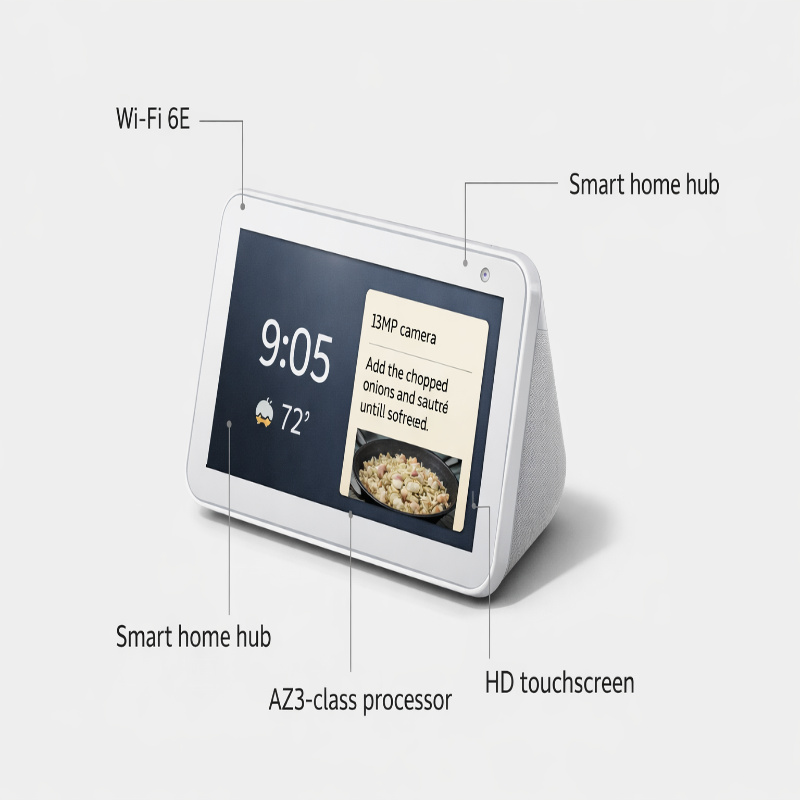
This generation is a real upgrade in ways that matter day-to-day. The Echo Show 8 (4th Gen) has an 8.7-inch HD touchscreen with a 1340 x 800 resolution, a 13MP camera with auto-framing, and it’s powered by Amazon’s AZ3 Pro processor with an AI accelerator. It also supports Wi‑Fi 6E and includes a built-in smart home hub with Zigbee, Matter, and Thread Border Router support.
That last part—the hub support—sounds like marketing until you’ve tried to add smart lights and realized you’re juggling multiple bridges, apps, and “why is this device not responding” moments. The Echo Show 8 won’t magically fix every smart home problem (nothing does), but it can simplify the foundation.
Echo show 8 specs that actually matter
Specs can be a trap because you can list them forever and still not know how the device feels. So here are the ones that have a real impact on daily use:
- 8.7-inch HD screen (1340 x 800): Big enough to read recipe steps and see who’s calling, not so big it dominates a counter.
- AZ3 Pro performance: Faster responses and smoother touch interactions are the unglamorous difference between “I’ll use it” and “I’ll ignore it.”
- Wi‑Fi 6E: Useful if your home network supports it and you have a crowded Wi‑Fi environment; otherwise, it’s more “future-proofing” than must-have.
- Built-in smart home hub (Zigbee + Matter + Thread): This is the real practical upgrade for anyone building a mixed-brand smart home.
- 13MP auto-framing camera: Video calls feel less awkward when the camera can keep you in frame while you move around.
- Omnisense + sensors: Presence, motion, and temperature sensing can make routines feel more natural than strict time-based triggers.
A small but important note: at least one review points out that there’s no longer a physical camera shutter on the Echo Show 8 (4th gen). There are still on-device buttons and in-app controls to disable the camera and mic, but if a physical shutter is part of what makes you comfortable, you should know that up front.
Echo Show 8 price in India and where to buy
In India, the Echo Show 8 is priced at Rs. 23,999, and it has been listed as available via Amazon.in, Flipkart, and offline retailers including Reliance Digital and Croma.
Is it worth paying full price? Maybe. If you’re upgrading from an older Echo Show that feels sluggish or dated, the new design and performance jump can be satisfying. But if this is your first smart display and you’re not sure you’ll use it, waiting for a sale is not a bad strategy. People often discover their “real” use case only after living with one for a bit.
If you’re also comparing it with the bigger model, it’s worth reading a deeper side-by-side like Echo Show 8 vs Echo Show 11 before you decide. The price difference isn’t massive, and screen size is one of those things that’s hard to reason about until it’s on your counter.
How the echo show 8 fits into real rooms
One thing that gets lost in spec sheets: placement changes everything. A smart display that’s perfect in a kitchen can feel pointless in a bedroom, and vice versa.
Kitchen: where it quietly earns its keep
The kitchen is the Echo Show 8’s natural habitat. Timers, conversions, quick weather checks, and recipe steps are all more convenient on a screen than by voice alone. And if you’re the kind of person who cooks with music on, having controls you can tap while your hands are messy is genuinely useful.
It also supports streaming content (including Prime Video, Netflix, and YouTube), which sounds like a “nice-to-have,” but in practice it becomes background comfort while you’re chopping vegetables or washing dishes.
Living room: good, but know what you want
In a living room, the Echo Show 8 can work as a casual “second screen” for music, quick shows, and smart home control. But it’s not a replacement for a proper TV experience. The benefit is more about convenience—voice control, quick camera feeds, quick calls—than cinematic viewing.
One feature that can feel surprisingly “high value” here is the ability to view multiple live camera feeds and use Drop In for quick check-ins, especially if you already use compatible smart cameras.
Bedroom: useful, but only with boundaries
In a bedroom, the Echo Show 8 is a bit of a personality test. Some people love waking up to a gentle routine and a quick glance at the day. Others find any screen in a bedroom distracting. Both reactions make sense.
If you do place it there, set firm boundaries early: limit what shows on the Home screen, keep notifications sane, and decide what you want the camera to do (or not do). If you want help thinking through routines, the guide on Echo Show 8 routines is a practical starting point.
Video calls: the “unexpected” reason people keep it
The Echo Show 8 includes a 13MP camera with auto-framing and noise reduction for video calls. That auto-framing sounds like a minor feature until you use it in real life—when you’re moving around the room, making tea, helping a kid with homework, whatever. It helps calls feel less like you’re glued to a chair.
There’s also a subtle psychological benefit: it’s easier to call when the device is already sitting there, ready, not locked behind a phone screen and a bunch of taps. It turns “I should call” into “Okay, calling now.”
Still, camera comfort varies. If privacy is a concern (and it’s reasonable if it is), jump to the privacy section below, and consider reading Echo Show 8 privacy settings alongside this guide.
Streaming, music, and the “daily background” role
Here’s a small contradiction that feels true: the Echo Show 8 is not an audiophile speaker, and yet it’s still a satisfying device for everyday listening. The point isn’t perfect sound staging. It’s that you can say what you want, get it quickly, and let the device fill the room in a way that feels easy.
On the video side, the Echo Show 8 supports streaming from services like Prime Video, Netflix, and YouTube. For a lot of people, that becomes “kitchen TV,” which sounds silly until it becomes normal.
Smart home control without turning it into a hobby
The Echo Show 8 includes a smart home hub supporting Zigbee, Matter, and Thread Border Router. In human terms, this can reduce the number of “middle boxes” you need, and it can make it easier to add devices from different brands under one roof.
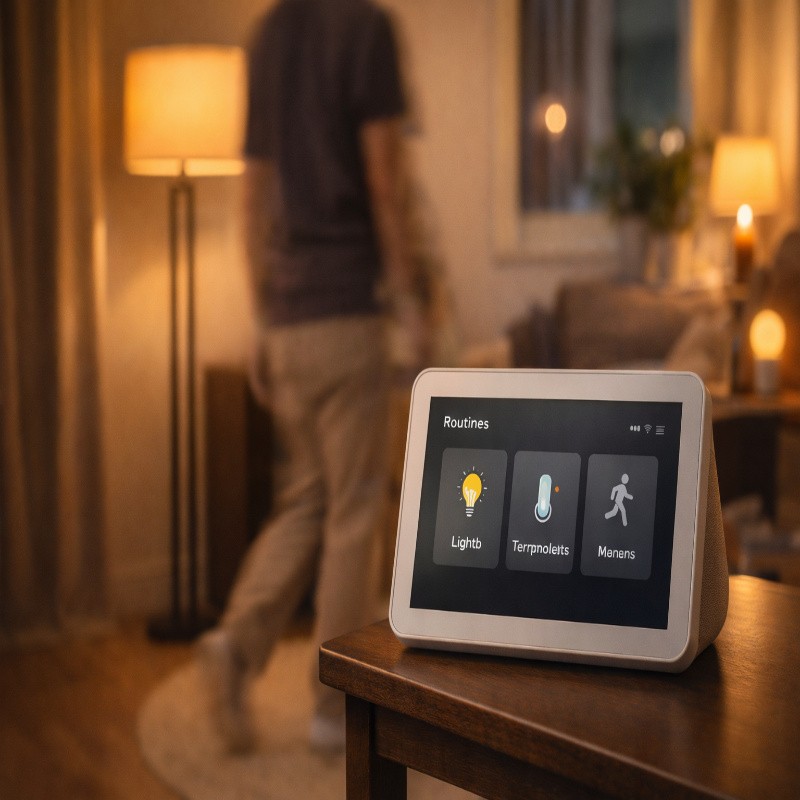
Also, this generation leans into automation with Omnisense and sensor-driven routines, including motion, presence, and temperature detection. If your home has ever felt like it’s full of smart devices that somehow aren’t… actually smart, this is Amazon trying to solve that gap.
Three routines that feel worth setting up
These are not futuristic. They’re the sort of routines people actually keep.
- Arrive home lighting: Use presence or motion detection to turn on a hallway or entry light in the evening.
- Kitchen “active cooking” mode: When motion is detected during certain hours, show timers/widgets you actually use and keep the screen brighter.
- Temperature-triggered comfort: If the ambient temperature crosses a threshold, trigger a reminder or switch a compatible device (fan, AC plug) based on your setup.
If you want a deeper, more structured menu of automations (and the little gotchas people hit), the dedicated best Echo Show 8 routines post is where the details can live without bloating.
Drop In, camera feeds, and home check-ins
The Echo Show 8 can show up to four live camera feeds and supports Drop In, which is essentially instant intercom-like access (with your permissions set appropriately). Used well, this is one of the most practical “smart home” features—checking a front door camera while your hands are full, or dropping in on another room to say dinner’s ready.
Used poorly, it can feel intrusive. So, again, this is a settings-and-boundaries thing, not just a feature checkbox.
Privacy and control (the part people tiptoe around)
Some people are fully comfortable with an always-listening voice assistant and an always-available camera. Others aren’t. And a lot of people land somewhere in the middle: fine with it in theory, uneasy at 2 a.m. when the room is dark and the device is just… there.
On the Echo Show 8, privacy controls include a microphone on/off button, camera on/off toggle, and the ability to view and delete voice recordings. You can also manage camera controls both on the device and in the app.
One review notes that the Echo Show 8 (4th gen) no longer includes a physical camera shutter, which some people will genuinely miss. Disabling the camera digitally is still possible, and some users simply add an external stick-on shutter for extra peace of mind.
If privacy is high on your list, it’s worth going deeper than “turn off the mic.” The step-by-step walkthrough in Echo Show 8 privacy settings is the best companion piece to this guide, especially if multiple people use the device.
How to set it up so it doesn’t become annoying
Setup is where smart displays either become delightful or become “that thing we ignore.” A few practical moves help:
- Pick the right spot: Somewhere you naturally stand (kitchen counter, entry table), not tucked away like a router.
- Tame the Home screen: If you don’t want constant suggestions, set up a photo album and keep widgets focused on what you actually use.
- Set routines early: Even one or two routines can turn it into a habit-forming helper.
- Decide your privacy defaults: Mic on/off preference, camera behavior, and who can Drop In.
That said, there will be small annoyances. The interface can feel cluttered at times, and it can take a bit of tweaking to get the screen to show “your stuff” instead of “suggested stuff.” It’s not difficult, but it is… a little fiddly.
Troubleshooting: quick fixes for common friction
Some issues are less “bugs” and more “smart home reality.” A few quick checks usually save time:
- Streaming feels flaky: Restart the device and check Wi‑Fi stability; Wi‑Fi 6E helps only if your network supports it end-to-end.
- Routines not triggering: Confirm sensor-based routines (presence/motion/temperature) are enabled and you’re testing in realistic conditions.
- Calls feel awkward: Adjust placement so the camera angle is natural; auto-framing helps, but it can’t fix a bad angle.
- You feel “watched”: Don’t argue with yourself—change the defaults. Turn off the camera, mute the mic, or add a physical cover if that makes the device usable for you.
Echo Show 8 vs Echo Show 11: the simple way to choose
If the Echo Show 8 is the “fits anywhere” model, the Echo Show 11 is the “I want a bigger canvas” model. The Echo Show 11 has a 10.95-inch Full HD (1920 x 1200) display, while the Echo Show 8 has an 8.7-inch HD (1340 x 800) display. In India, the Echo Show 11 is listed at Rs. 26,999 versus Rs. 23,999 for the Echo Show 8.
When the larger model makes sense:
- You want more comfortable viewing for recipes, widgets, and camera feeds from farther away.
- You expect to watch more video on it, not just “background” content.
When the Echo Show 8 is the better call:
- You want something easier to place on a counter or shelf.
- You want the modern hub features and Omnisense routines, but you don’t need the extra screen real estate.
If you’re in that indecisive middle zone (which is most people), the dedicated comparison Echo Show 8 vs Echo Show 11 goes deeper with room-by-room suggestions and what the price gap really means in daily use.
Should you buy the echo show 8?
Here’s the most honest take: the echo show 8 is worth it when you can name two or three routines you’ll use weekly. Not someday. Weekly. A daily timer, a morning routine, a couple of Drop Ins, a smart light scene you actually trigger. That’s the difference between “best purchase” and “why did we buy this?”
The 4th-gen model is a stronger product than earlier versions in the ways that count: it’s quicker, the screen is more enjoyable, the smart home hub support is more future-friendly, and the sensor-driven routines have the potential to feel genuinely helpful. But it can still be a little pushy, and you may need to spend 20 minutes making it feel like your device instead of a demo unit.
If you want to keep the momentum going, the most useful next steps are usually practical ones: set up a few automations from Echo Show 8 routines, and lock down your comfort level using Echo Show 8 privacy settings. Once those are done, the device tends to settle into the background—in a good way.