
 Xbox Cloud Gaming Equirements: Internet, Devices, Controllers
  How to Delete Sent Messages on iPhone From Both Sides
  Real-Time Tracking in the Distribution of Goods
  Portable Monitor For Laptop Guide
  Optimizing Sales Prospecting with Modern Software Tools
  What Is One Way That Technology Can Improve The Distribution Of Goods?
  Xbox Cloud gaming: A Practical Guide For Real Life
  Game Pass vs PlayStation Plus: which is actually worth it?
  Macfox X1S installation guide: assembly, setup, and first ride checks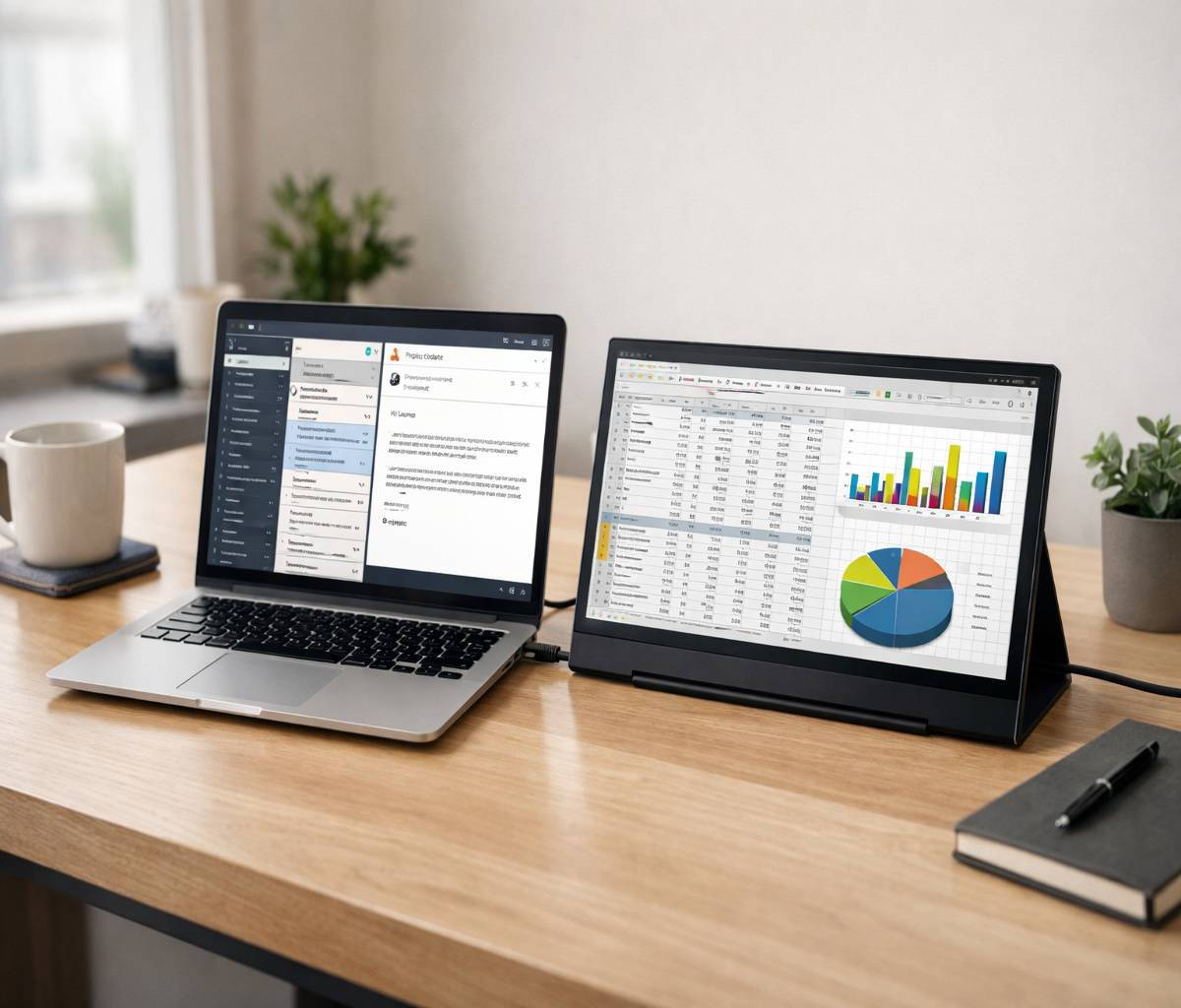
If you have ever tried to work on a laptop for hours with a dozen tabs open, a spreadsheet on one side, and messages popping up somewhere in the background, you probably already understand the appeal of a portable monitor for laptop use. The screen on a laptop can feel fine at first, and then somehow cramped all at once. That is usually the moment people start looking for a second display they can actually carry around.
A portable monitor sounds simple, and in some ways it is. It gives you extra screen space without forcing you into a full desk setup. But choosing one is not always straightforward. Some are light and easy to travel with, some are brighter and better for work, some are surprisingly good for gaming, and some look great on paper but become frustrating the moment you realize your laptop does not support video over USB-C.
This guide is built to help with that. It is meant for remote workers, students, travelers, hybrid professionals, creators, and honestly anyone who wants more room to think when using a laptop. We will go through what matters, what does not matter quite as much, how compatibility works, where people make mistakes, and how to choose a portable monitor for laptop setups that actually fits your routine.
Why a portable monitor for laptop setups makes sense
The biggest reason people buy a portable monitor is simple: laptops are portable, but they are not always comfortable for serious multitasking. A second screen gives you room for documents, email, code, presentations, reference material, video calls, dashboards, or creative tools without forcing everything into one small rectangle.
That extra room changes how work feels. It is not just about productivity in the abstract. It is about less window switching, fewer interruptions, and a setup that feels calmer. I think that part gets overlooked sometimes. People talk about efficiency, which is true, but they do not always talk about how much less mentally cluttered a dual-screen setup can feel.
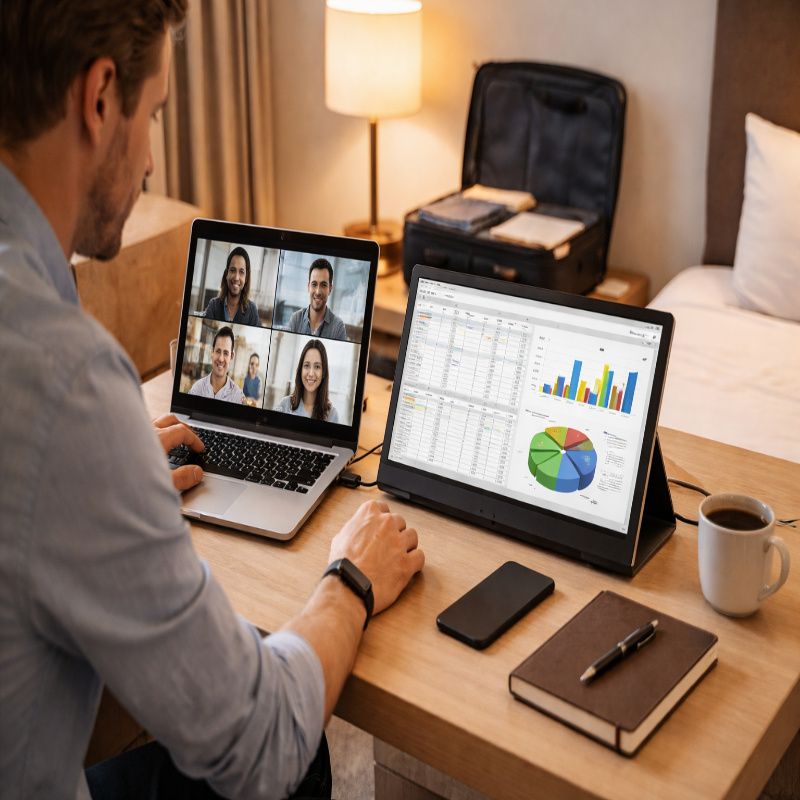
For travelers, the appeal is a little different. You can set up a second screen in a hotel room, at a client office, in a coworking space, or even at a kitchen table without carrying a full-size monitor. For students, it helps with research, writing, and online classes. For business users, it can make presentations, analytics, and side-by-side document work much easier. And for creators, a portable monitor can become a preview display, an editing companion, or just a better way to keep tools separate from the main canvas.
What is a portable monitor, exactly?
A portable monitor is a slim external display designed to work with laptops and other devices while remaining easy to carry. Most models are between 13 and 17 inches, usually lightweight, and often come with a folding cover or built-in stand. The goal is to give you desktop-like flexibility without losing portability.
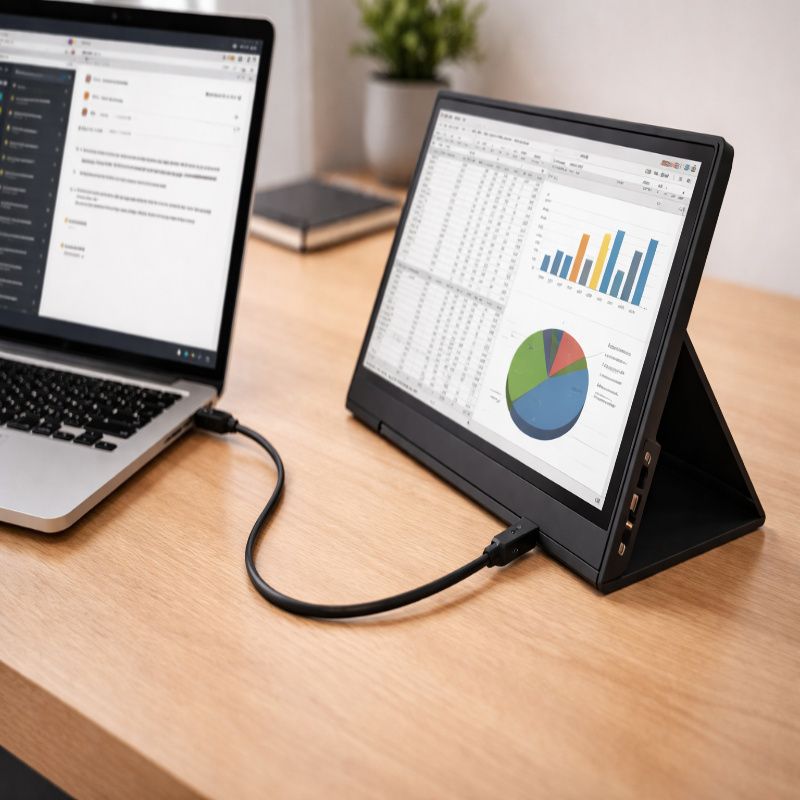
Most portable monitors connect through USB-C, HDMI, or both. Many can receive power and video through a single USB-C cable, which is the cleanest setup by far. Others need separate cables for power and signal. That distinction matters more than people expect, because one-cable convenience is one of the reasons this category is attractive in the first place.
There is also some confusion between a portable monitor and a screen extender. They are related, but they are not identical. If you want a full breakdown, it makes sense to read our portable monitor vs laptop screen extender guide, because the right choice depends a lot on how and where you work.
Who should buy one
A portable monitor is a good fit for people who work across multiple windows and do not want to be stuck at one desk all day. That includes remote employees, consultants, project managers, developers, analysts, students, and small business owners. It also includes people who travel more than they would like and still need a usable setup once they arrive.
It is also useful for people who do not really think of themselves as heavy computer users. Maybe you run meetings, compare documents, monitor messages, or keep an eye on dashboards. In those cases, a second screen is not a luxury. It quickly starts to feel normal, and then oddly hard to give up.
That said, not everyone needs one. If you mostly browse, answer a few emails, and do short tasks, a portable monitor may end up living in a drawer. The people who get the most value from it are the ones who regularly feel limited by their laptop screen.
How to choose a portable monitor for laptop use
There is no single best portable monitor for everyone, which is maybe not the most exciting answer, but it is the honest one. The right choice depends on what you carry, where you work, how bright your environments are, how much you care about display quality, and whether you value simplicity more than premium features.
portable monitor for laptop size and weight
Size is usually the first real decision. A 14-inch portable monitor tends to feel more travel-friendly and easier to fit into the same bag as a laptop. A 15.6-inch model often hits the sweet spot for most people because it balances screen space and portability well. A 16-inch or 17-inch model can be more immersive, but it is also a bit less effortless to carry, and yes, that difference starts to matter after a few trips.
Weight matters just as much as screen size. A monitor that looks slim in product photos can still feel annoying in a backpack if it is paired with a thick cover, multiple cables, and a power adapter. If you travel often, prioritize total carry burden, not just the monitor’s listed weight.
Display quality
For general work, a good IPS panel is usually enough. It gives you decent color, solid viewing angles, and predictable performance. If your work is mostly documents, spreadsheets, browsing, calls, and email, you probably do not need to overthink this.
Resolution is where people sometimes overspend. Full HD works well on most portable monitor sizes and is often the practical choice for office work and general use. A higher-resolution screen can look sharper, especially for creative tasks, but it may also cost more, use more power, and offer less obvious day-to-day benefit unless your workflow really demands it.
Brightness matters a lot more than buyers expect. If you work near windows, in bright rooms, or on the go, a dim display becomes frustrating quickly. People tend to focus on resolution because it sounds premium, but brightness and anti-glare behavior often have a bigger effect on real comfort.
Refresh rate and gaming
If you want a portable monitor mainly for productivity, a standard refresh rate is usually fine. If you plan to game, though, refresh rate and response time become more important. Some portable monitors now offer higher refresh rates, which can make motion look smoother and gameplay feel better.
Still, this is one of those areas where expectations need to stay realistic. A portable monitor can be a nice gaming companion, especially for a laptop or handheld device, but it is not always going to replace a dedicated gaming monitor at home. Sometimes it gets close, sometimes not really.
Stand design and build quality
Many portable monitors come with a folding folio cover that doubles as a stand. These can be fine, but they vary a lot. Some feel stable and easy to position, while others wobble or slip at the exact moment you are trying to focus. It is a small thing until it is not.
If you can, look for a monitor with a sturdier built-in stand or at least a cover design that supports multiple viewing angles. Build quality matters too. Thin does not always mean premium. A portable monitor should feel durable enough to be packed and unpacked repeatedly without becoming a source of low-level stress.
Touchscreen support
Some users love portable touchscreen displays, especially for note-taking, creative work, annotations, and certain productivity tasks. For others, touch ends up being a feature they rarely use. That is not a criticism, exactly. It just tends to be more valuable in theory than in daily practice unless your workflow is built around it.
If you are considering touch, think about whether your laptop operating system, apps, and working style actually benefit from it. Also remember that touch can increase cost, fingerprints, and sometimes reflectivity.
Ports and one-cable convenience
This is one of the most important parts of the decision. A monitor with USB-C and HDMI gives you more flexibility than one with only a single connection option. Ideally, you want a setup that lets you connect quickly without carrying adapters you forgot you needed.
The cleanest experience usually comes from a laptop that supports video output over USB-C, allowing one cable for display and often power. But not every USB-C port works the same way. Some carry data only. Some support charging but not video. Some do everything. If compatibility is your main concern, read our portable monitor compatibility laptop guide before you buy anything.
Power delivery and battery drain
Portable monitors are convenient, but they are not free in terms of power. Many draw energy from the laptop itself, which can shorten battery life noticeably. If you work away from outlets, this matters. A lot.
Some monitors support pass-through charging, which can make the whole setup cleaner and more sustainable during long sessions. Others may require separate power, especially at higher brightness levels. If you travel often, pay close attention to how the monitor is powered, not just how it connects.
portable monitor for laptop compatibility explained
Compatibility is where many otherwise sensible purchases go wrong. A person buys a portable monitor, sees a USB-C port on the laptop, assumes everything will work, and then discovers the port does not support video output. It is a common problem because the port shape looks familiar, but the capabilities are not always the same.
In broad terms, there are a few common scenarios. The best one is a laptop with USB-C or Thunderbolt that supports DisplayPort Alt Mode. In that case, you can often run the monitor with a single cable. Another scenario is using HDMI for video and a separate USB or wall adapter for power. That works too, though it is less tidy.
Windows laptops vary quite a bit here. Some newer models are excellent for one-cable setups, while older or budget machines may need adapters or separate power. MacBooks are often better prepared for USB-C display setups, but the exact behavior still depends on the model and your monitor’s power requirements.
If you want the full checklist, including how to verify your port type and avoid buying the wrong accessory, our portable monitor compatibility laptop article is the right next step.
Portable monitor vs screen extender
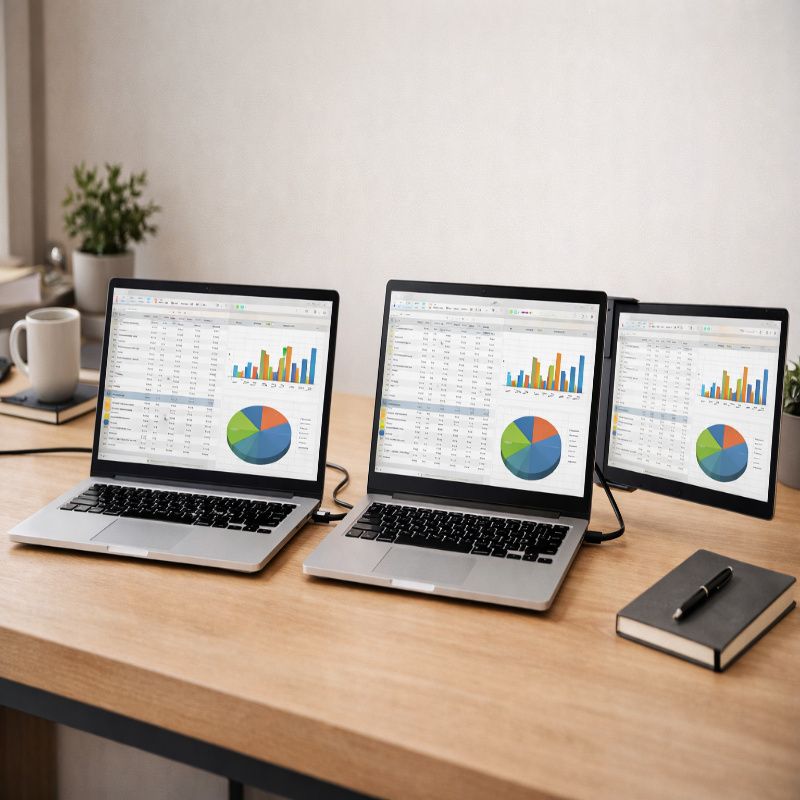
This comparison matters because buyers often assume these products solve the same problem in the same way. They do not. A portable monitor is a separate external display you place beside, above, or near your laptop. A screen extender usually attaches directly to the laptop and expands outward from the sides or back.
A screen extender can be appealing if you want an all-in-one travel setup that feels integrated. But it can also add bulk, reduce flexibility, and sometimes create ergonomic compromises. A portable monitor is often more versatile because you can position it more freely, use it with different devices, and pack it separately when needed.
Neither approach is automatically better. It depends on whether you value compact attachment or flexible placement. Our portable monitor vs laptop screen extender comparison goes deeper into those trade-offs, especially for travelers and hybrid workers.
Best use cases for a portable monitor for laptop owners
Remote work and hybrid work
This is probably the most obvious use case, but also the strongest one. A second screen makes it easier to keep communication tools open while working in another window. Video calls become less disruptive when notes and reference material can sit off to the side instead of constantly covering what you need.
For hybrid workers, the benefit is consistency. You can recreate part of your office setup at home, in a shared space, or while visiting another location. That sense of continuity matters more than it sounds like it should.
Travel and mobile work
Travelers need a setup that opens quickly, packs easily, and does not feel fragile. In that context, a portable monitor can be one of the most practical upgrades you carry. It can turn a cramped temporary workspace into something that feels, well, usable.
If this is your main priority, it is worth looking at our best portable monitor for laptop travel guide, which focuses on weight, brightness, carry convenience, and the kinds of details people only notice once they are already on the road.
Students and research-heavy tasks
Students often need to read source material, write notes, attend classes, and keep multiple tabs visible at once. A second screen helps without requiring a permanent dorm or apartment setup. It is especially useful for writing, referencing, and comparing information side by side.
It is also a practical upgrade for online courses. One screen for class, one for notes or assignments. Not glamorous, maybe, but very effective.
Creative work
Designers, editors, photographers, and other creators may use a portable monitor as a reference display, a tool panel screen, or a flexible second canvas. For color-sensitive work, display quality matters more here than it does for general office tasks, and higher-end options may make sense.
That said, not every creative workflow needs a premium portable monitor. Sometimes a reliable second screen for tools and timelines is enough, even if the main laptop display remains the primary canvas.
Gaming and entertainment
A portable monitor can be useful for gaming with a laptop, a handheld gaming device, or even a console when traveling. It also works well for movies and streaming in places where a laptop screen feels too small. This is one of the more enjoyable use cases, obviously, though not every model is equally suited to it.
If gaming matters, look carefully at refresh rate, response time, brightness, and speaker quality. Built-in speakers are often included, but not always impressive. Some are acceptable. Some are really just there so the spec sheet can mention them.
Features that matter most
Brightness
Brightness affects usability more than many buyers expect. A monitor that looks decent indoors at night may feel weak in daylight or near a window. If you move around a lot, brightness is not just a nice extra. It is a core usability feature.
Anti-glare finish
A glossy screen can look vivid, but it may also reflect light more aggressively. Matte or anti-glare finishes are often easier to live with in changing environments. This matters if you work in airports, cafes, offices with overhead lighting, or bright rooms at home.
Color accuracy
For general work, decent color performance is enough. For creative tasks, it becomes more important. If your work depends on visual accuracy, do not assume every portable monitor is interchangeable. This category is broad, and quality varies more than it should.
Audio
Built-in speakers can be convenient for casual use, but they are rarely the main reason to choose a monitor. Think of them as backup audio unless reviews strongly suggest otherwise. If sound matters, headphones or external speakers usually remain the better option.
Orientation support
Some portable monitors support portrait mode, which can be surprisingly useful for coding, reading, editing documents, or monitoring chat and feeds. It is one of those features people rarely search for directly, but once they have it, they tend to appreciate it.
Common mistakes people make
The first mistake is buying based on price alone. Budget matters, of course, but the cheapest monitor can end up costing more in frustration if it is too dim, unstable, or awkward to connect. Saving money is good. Buying twice is less good.
The second mistake is assuming all USB-C ports are equal. They are not. This issue causes more confusion than almost any other part of the buying process. Always verify whether your laptop can output video through USB-C before relying on a one-cable setup.
The third mistake is ignoring ergonomics. A portable monitor should not only fit in a bag; it should also be comfortable to use on a real table, in a real room, for real work. If the stand angle is poor or the screen position is awkward, the portability will not feel worth it for long.
The fourth mistake is expecting desktop-monitor performance from a slim travel display. Some portable monitors are excellent, but they still involve trade-offs in brightness, audio, stand stability, or overall power behavior. The goal is not perfection. The goal is the right balance.
How to set one up well
Good setup makes a bigger difference than people expect. Place the monitor close enough to your laptop that your eyes are not constantly making large jumps, but far enough that the screens feel separate and usable. A slightly angled side position usually works well for most people.
If possible, raise your laptop a little and align the monitor to reduce neck strain. You do not need a complicated ergonomic system. Even a modest adjustment can make the whole setup feel more natural.
Use the display settings on your laptop to arrange screen order correctly, adjust scaling, and choose whether the portable monitor acts as an extended display or mirror display. This sounds basic, perhaps, but it solves a lot of first-day frustration.
Should you buy a budget, mid-range, or premium model?
Budget models can be perfectly fine for general work, occasional travel, and simple second-screen use. If you mainly want more space for documents, email, and browsing, there is no reason to overspend just for bragging rights or flashy features.
Mid-range models often offer the best balance. You usually get better brightness, better construction, more reliable stands, and more flexible connectivity without jumping all the way into premium pricing. For many people, this is where the sensible choices live.
Premium models make the most sense for buyers who care about display quality, refined design, stronger brightness, touch input, or more specialized use cases. They can be worth it, absolutely, but only if those benefits match how you actually work.
How this pillar article fits the rest of your research
If you are still narrowing down the basics, start with the difference between a standard portable display and an attached extender. That comparison tends to clarify the whole category faster than reading product specs in isolation. You can explore that in our portable monitor vs laptop screen extender guide.
If you already know you want a portable monitor but are unsure whether your laptop supports the clean one-cable setup people talk about so often, the next step should be our portable monitor compatibility laptop article.
And if your main concern is portability in the most literal sense, meaning airport bags, hotel desks, train tables, and work on the move, the most relevant follow-up is our best portable monitor for laptop travel guide.
Final thoughts on choosing a portable monitor for laptop use
The best portable monitor for laptop users is not always the one with the highest specs or the nicest marketing. It is the one that works reliably with your laptop, fits how you travel or work, feels comfortable to use, and does not create more friction than it removes. That sounds obvious, but it is easy to get distracted by feature lists and forget the real goal.
For most people, the right place to start is with compatibility, size, brightness, and stand quality. Get those right, and the rest tends to fall into place. A portable monitor for laptop use can be a surprisingly meaningful upgrade, not because it is flashy, but because it quietly makes your work easier every single day.