
 Optimizing Sales Prospecting with Modern Software Tools
  What Is One Way That Technology Can Improve The Distribution Of Goods?
  Xbox Cloud gaming: A Practical Guide For Real Life
  Game Pass vs PlayStation Plus: which is actually worth it?
  Macfox X1S installation guide: assembly, setup, and first ride checks
  What Ranks Can Play Together in Marvel Rivals?
  Apple could not verify is free of malware Open Anyway not showing
  Legion Go 2 SteamOS vs Windows 11: Choose Wisely
  How to Delete Messages on iPhone
Subscriptions are the quiet deciding factor in the whole PS5 vs Xbox debate. You can absolutely buy either console and be happy… and then slowly realize you’re paying for a service that doesn’t match how you play. I’ve done that with streaming apps, and yeah, it stings a little.
This article is Cluster 1 in our console-buying series, and it’s meant to plug directly into the bigger guide on ps5 vs xbox series x. If you’re still choosing a console, start there. If you already know your console (or you’re close), this is where you make the subscription choice that you’ll live with all year.
Game Pass vs PlayStation Plus: the quick way to choose
I’ll give you the simple version first, because most people don’t need a spreadsheet. They need a nudge.
- Choose Game Pass if you like sampling games, switching genres, and playing whatever your friends are trying this month. It’s built for variety, and it tends to reward curiosity.
- Choose PlayStation Plus if you mostly buy the big games you truly care about, but you still want online multiplayer plus a steady stream of extras. It can feel calmer, less “buffet,” more “supporting subscription.”
- If you mainly play free-to-play games and one or two paid titles a year, either subscription can be optional depending on how much online multiplayer you actually use.
Still with me? Good. Because the best choice is less about which service is “better” and more about your habits: how often you finish games, how sensitive you are to FOMO, and whether you’d rather download games or stream them.

Start with the boring question: do you need online multiplayer?
Most people sign up because they want to play online. That’s the most basic, least glamorous reason—and it’s also the most valid. If online play is a must for you, your subscription becomes part of the cost of owning the console, not a nice-to-have.
If online multiplayer is not a big part of your life (maybe you’re mostly single-player, or you only play local co-op), you get to be pickier. That’s a good position to be in. It means you can choose based on value instead of necessity.
What Game Pass is really selling (it’s not just “lots of games”)
Xbox Game Pass is basically an access-first mindset: a library you can download from, and in many cases stream, across supported devices. Microsoft’s compare page emphasizes “PLAY DAY ONE” and even frames it as playing new games the day they’re released, including Xbox-published games and some third-party titles.
Where it gets interesting is that the ecosystem pitch is bigger than console. The Game Pass plan comparison page lists supported devices and splits them into download and stream options, including Xbox consoles and Windows PC, plus streaming support for things like phones/tablets, smart TVs, and web browser play.
So if your real goal is, “I want the easiest way to have something new to play,” Game Pass tends to feel like it’s designed for that exact sentence.
Cloud streaming: helpful, but not magic
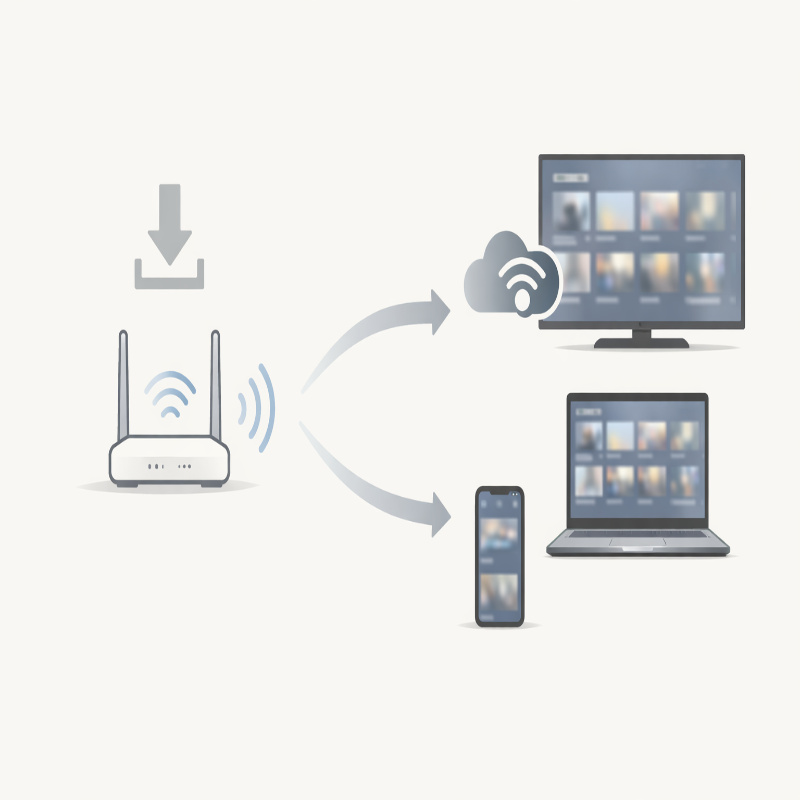
Streaming is convenient when it works well, and a little annoying when it doesn’t. That’s not a knock on any one company; it’s the reality of home Wi‑Fi and internet variability.
Still, it’s worth noting that Xbox positions streaming as a core part of the Game Pass experience. Microsoft’s plan comparison page explicitly separates “Download” and “Stream,” and calls out streaming across a range of devices. If you’re the kind of person who likes the idea of trying a game without committing to a big download, that matters.
What PlayStation Plus is really selling (and why it can feel simpler)
PlayStation Plus is a little easier to explain in everyday terms, even though it also has tiers. Sony positions it as membership plans that give you “hundreds of PS4 and PS5 games,” and it highlights benefits like the Game Catalog, Classics Catalog, plus cloud streaming and game trials (depending on tier and region).
The practical benefit is that it can integrate nicely into a “buy what I love, rent what I’m curious about” routine. Some people prefer that. It feels less like you’re being pulled into a constantly rotating menu.
If you’re already leaning toward PlayStation because of exclusives, you might find PS Plus is the subscription that supports your existing plan rather than reshaping it.
Essential vs Extra vs Premium: how to think about tiers
I’m not going to pretend everyone needs the highest tier. Plenty of players don’t. The better question is: what would you actually use?
- Essential makes sense if you mainly want online multiplayer and a baseline set of membership benefits.
- Extra starts to make sense when you want a deeper catalog to download and rotate through.
- Premium only feels “worth it” if you will genuinely use cloud streaming, game trials, or the Classics Catalog often enough to notice it in your routine.
If you want a clear console-level recommendation after reading this, circle back to ps5 vs xbox series x. Subscriptions are important, but they’re still part of a larger choice that includes controller preference, storage, and where your friends play.
A realistic value test (no math degree required)
Here’s the test I use, and it’s not perfectly scientific. It’s just honest.
- If you finish a lot of games, Game Pass can be a great deal because your cost per completed game drops quickly.
- If you buy and keep a few favorites (and replay them), a catalog subscription can feel less valuable over time because you’re not consuming enough “newness.”
- If you’re often curious but cautious, streaming or quick access to a library helps you avoid paying full price for games you abandon after two hours.
And yes, there’s a human factor: some people hate the feeling that a game might leave a catalog. Others don’t care at all and treat it like a rotating channel lineup. You probably know which type you are.
How this ties into storage, downloads, and “subscription friction”
Subscriptions quietly change your storage habits. If you have a large library available, you’ll download more. You’ll test more. You’ll uninstall more. That’s not a bad thing, but it does create friction if your internal drive fills up fast.
If you’ve ever stared at an “installation stopped” or “not enough space” message and felt your mood drop, you’re not alone. That’s why we built a separate guide on PS5 vs Xbox storage: expansion, costs, and setup. This stuff is boring right until it isn’t.
The decision most people don’t consider: your “default game”
One last angle, because it matters more than people think. What’s your default game?
If you always come back to one multiplayer game (and your friends are there), you may not get much value from a huge library. On the other hand, if you get bored easily and want a steady stream of “something new,” Game Pass can feel like the easiest answer.
PlayStation Plus tends to fit nicely when you treat it as a supplement to buying the big releases you truly care about. Game Pass tends to fit when the subscription itself is the engine that drives what you play.
So, Game Pass vs PlayStation Plus—what would I pick?
If I’m being completely candid, I’d pick differently depending on the season of life I’m in. When I have time and I’m curious, I’d lean Game Pass because it rewards exploration and makes it easy to bounce between games. When I’m busy and only want a handful of “sure things,” I’d lean PlayStation Plus because it can feel cleaner and less demanding.
The best answer is the one that matches your behavior, not your intentions. We all intend to finish more games than we do.
If you’re still deciding on hardware, don’t over-optimize the subscription in isolation. Go back to the bigger guide on ps5 vs xbox series x, make the console choice, and then come back here to lock in the membership tier that you’ll actually use.